Use case · PNG to SVG
Convert PNG to SVG
A PNG is made of pixels: zoom in and it turns blurry and jagged. Imalyn rebuilds it as a flat-color SVG vector —clean curves that scale to any size without losing a single edge— and keeps the PNG’s transparency. Upload, compare and download in seconds.
5 free vectors a week · no card
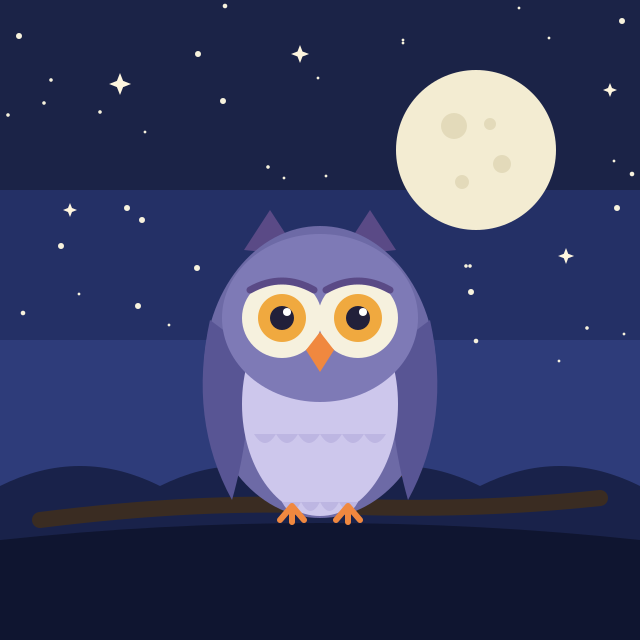
Keeps transparency
Your PNG’s alpha channel is respected: the background stays transparent in the resulting SVG.
Scales without pixelation
Use it in a 32 px icon or on a 3-metre billboard with the same crispness.
Editable and lightweight
Each color is a layer you can recolor; the SVG often weighs less than the original PNG.
Why a PNG looks blurry when you enlarge it
A PNG stores the image as a grid of colored pixels. At its original size it looks fine, but as soon as you scale it up the software has to «invent» in-between pixels and you get the typical jagged, blurry edge. It’s not a flaw in your file: it’s the nature of any raster image (PNG, JPG, WebP, GIF).
An SVG, by contrast, stores no pixels but formulas for curves and polygons. No matter what size you display it at —a 16 px favicon or a 4-metre banner— the drawing is recalculated and the edges always come out perfect. So if your PNG is a logo, an icon or a flat-color illustration, converting it to SVG is how you stop fighting resolution for good.
How Imalyn converts your PNG to SVG
You upload the PNG (or drag it onto the drop zone) and the engine analyzes the image: it detects the color regions, traces the outline of each shape as smooth curves and rebuilds the drawing layer by layer, from the large shapes to the fine detail. The result is a clean SVG, without the noise or jaggedness of the original.
Before downloading you can compare before and after with the slider, crop the area you care about and tweak the colors. Everything happens in the browser: nothing to install, and your PNG isn’t kept around (images are deleted automatically after 24 hours).
PNG with transparency: the background is preserved
If your PNG has a transparent background (alpha channel), Imalyn keeps it in the SVG. That means you can place the result over any color or background without a white box appearing around it. It’s exactly what you need for logos that sit on differently colored sites, seals, stickers or watermarks.
If your PNG does not have transparency and you want to remove the background, you can erase it with the magic wand before vectorizing: select the background color, delete it, and that area will be transparent in the final SVG.
What an SVG is for and where to use it
An SVG is good for far more than the web: printing at any size (posters, T-shirts, packaging), cutting and engraving (Cricut, Silhouette, laser), interface icons that stay crisp on any screen and, above all, continuing to edit the design in vector tools. It’s also lightweight, so your site loads faster.
On the free plan you can convert PNG to SVG and download the result; with Pro you vectorize without limits and also export to PDF and EPS, the formats your print shop and most cutting machines will ask for.
Three steps. Nothing to install.
Provide the image
Upload a PNG, JPG or WebP —or describe it and let AI generate it in a flat style—. Crop it if you only want a part.
Vectorize
The engine analyzes the strokes and rebuilds each shape as smooth curves, preserving intended peaks and corners.
Edit & export
Compare before/after, fine-tune and download as SVG, PDF or EPS. Scale to any size without pixelating.
— Frequently asked questions
Convert PNG to SVG
Why convert PNG to SVG?
Because SVG is vector: it scales infinitely without pixelation, is editable by color, and is lightweight. Ideal for logos, icons and flat-color illustrations.
Is the transparent background kept?
Yes. If your PNG has transparency, the SVG keeps it, so you can place it over any color.
Does it work with PNG photos?
It works best with flat-color graphics (logos, icons, illustrations). A photo with many gradients isn’t the ideal case to vectorize.
Is it free?
Yes, you can try it free with no card. With Pro you vectorize without limits and also export to PDF and EPS.
What resolution does my PNG need?
Any. Because the result is vector, it doesn’t matter if your PNG is 200 or 2000 px: Imalyn rebuilds the shapes as curves and the final SVG scales without limit. That said, a sharp PNG with well-defined colors produces a cleaner trace than a heavily compressed or tiny one.
Can I edit the colors afterwards?
Yes. The SVG is organized into color layers: in the editor you can select a color and change it across the whole image at once, or erase areas you don’t want. And since an SVG is text, you can also open it in Illustrator, Inkscape or Figma and keep editing.
More ways to vectorize
Convert PNG to SVG free
Create your account and vectorize 5 designs free every week.
Create free account