Use case · JPG to SVG
Convert JPG to SVG
JPG compresses lossily: halos and blocks appear around edges. When you vectorize it, Imalyn redraws each shape as clean flat-color curves, leaving the compression noise behind and giving you perfect edges that scale to any size.
5 free vectors a week · no card
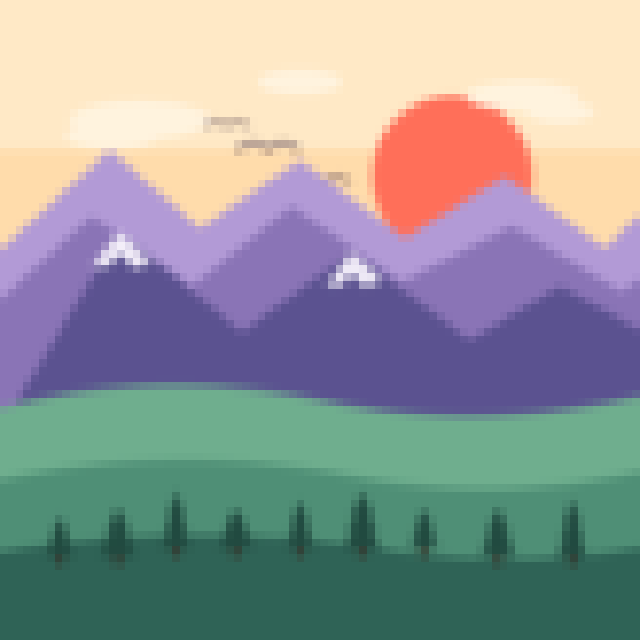

Goodbye JPG noise
Compression artifacts and halos around edges disappear when the shapes are rebuilt.
Crisp edges again
Where the JPG had blurry edges, the SVG has clean, defined outlines.
Ready for print and cutting
Export to SVG, and with Pro to PDF and EPS — the formats print shops, plotters and cutters ask for.
What happens to a JPG when you enlarge or reuse it
JPG was made for photos and compresses by throwing away detail the eye barely notices. The trouble starts with flat-color graphics: around every sharp edge you get halos, blocks and color smears — the famous compression «artifacts». And since every save re-compresses, a logo that has been through several JPGs ends up dirty and blurry.
Converting it to SVG breaks that chain: instead of compressed pixels you get clean vector curves that don’t degrade when saved or enlarged. The same file works for the web, for printing big and for editing again without loss.
How Imalyn cleans and vectorizes your JPG
When you upload the JPG, the engine identifies the real color regions beneath the compression noise and traces the outline of each shape as smooth curves. The halos and blocks aren’t copied: they stay in the original. The result is a crisp SVG, usually lighter than the starting JPG.
You can compare before and after with the slider, crop and adjust the colors before downloading. If you don’t want the JPG’s background, erase it with the magic wand so the SVG comes out with a transparent background.
JPG, JPEG, PNG, WebP… which one do I vectorize?
The input format doesn’t matter: Imalyn accepts JPG, JPEG, PNG, WebP, GIF and BMP, and always returns a vector SVG. What really matters isn’t the extension but the content: the more «flat-color» the drawing is (logos, icons, illustrations), the cleaner the trace.
If you have the same design as a PNG with transparency, it’s usually better to start from the PNG, because it keeps the transparent background. But if you only have the JPG, don’t worry: the result will be just as scalable.
For print, cutting and web
Once it’s an SVG, your design is ready for almost anything: printing at any size without pixelation, cutting vinyl or card with Cricut or Silhouette, laser engraving or using it as a crisp icon in your site or app.
The free plan lets you convert JPG to SVG and download it; with Pro you vectorize without limits and also export to PDF and EPS, the vector formats that print shops and professional cutting machines require.
Three steps. Nothing to install.
Provide the image
Upload a PNG, JPG or WebP —or describe it and let AI generate it in a flat style—. Crop it if you only want a part.
Vectorize
The engine analyzes the strokes and rebuilds each shape as smooth curves, preserving intended peaks and corners.
Edit & export
Compare before/after, fine-tune and download as SVG, PDF or EPS. Scale to any size without pixelating.
— Frequently asked questions
Convert JPG to SVG
Is it worth vectorizing a JPG?
If it’s a flat-color graphic (logo, icon, illustration), yes: you recover crisp edges and a scalable file. For realistic photos, vector isn’t the right format.
Does it remove JPG blocks and halos?
Yes. By redrawing shapes as vectors, the JPG’s compression noise doesn’t carry over to the result.
What formats can I download?
SVG on the free plan; PDF and EPS as well with Pro, ideal for print and cutting.
Do I need to install anything?
No. Everything happens in the browser: upload the JPG and download the SVG.
Why does my JPG have dirty edges?
Because JPG compresses lossily: it groups the image into 8×8-pixel blocks and discards detail, which creates halos and «junk» around high-contrast edges. Every time you re-save a JPG, the effect gets worse. Vectorizing rebuilds the shapes from scratch and leaves that noise out.
What if my JPG is a photo?
A realistic photo with lots of gradients isn’t a good candidate for vectorizing: the result would look like a few-color poster. Vectorizing shines with flat-color graphics: logos, icons, illustrations, lettering. If your JPG is one of those, go ahead.
More ways to vectorize
Convert JPG to SVG free
Create your account and vectorize 5 designs free every week.
Create free account